
GARAN for Shopware 6. Simple integration.
BOXLAB GARAN Connect links compatible GARAN packages to your Shopware products, from import to nested or full display.
Digital files and physical labels are also available without Shopware.
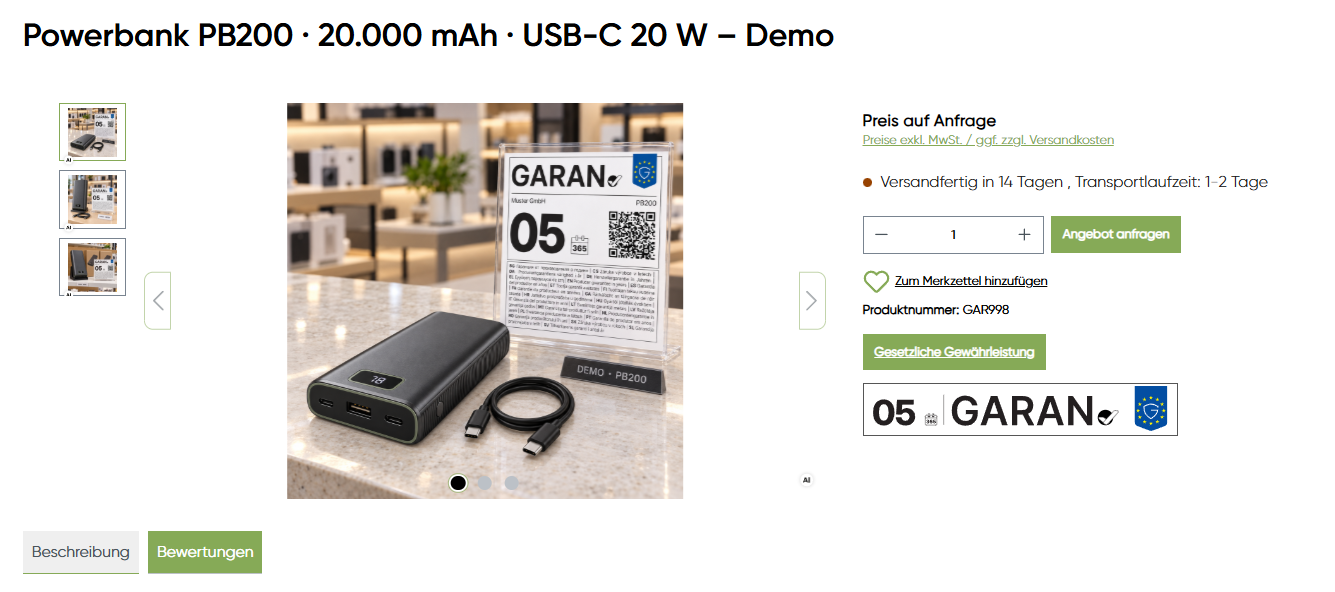
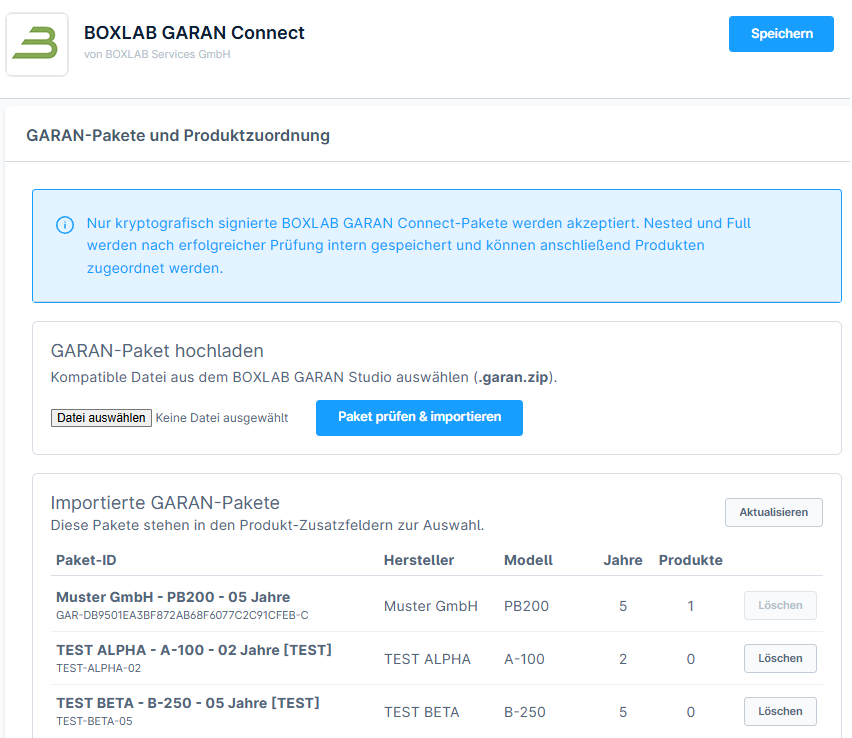
From GARAN file to product page.
GARAN Studio creates product-specific files. GARAN Connect handles imports, product assignment and storefront display.
Create
Configure GARAN in BOXLAB Studio.
Import
Upload the compatible signed package.
Assign
Assign products individually or by CSV.
Compact on the product page. Full on click.
Global defaults can be overridden per product.
Choose between compact nested display, the complete label, and disabled output.
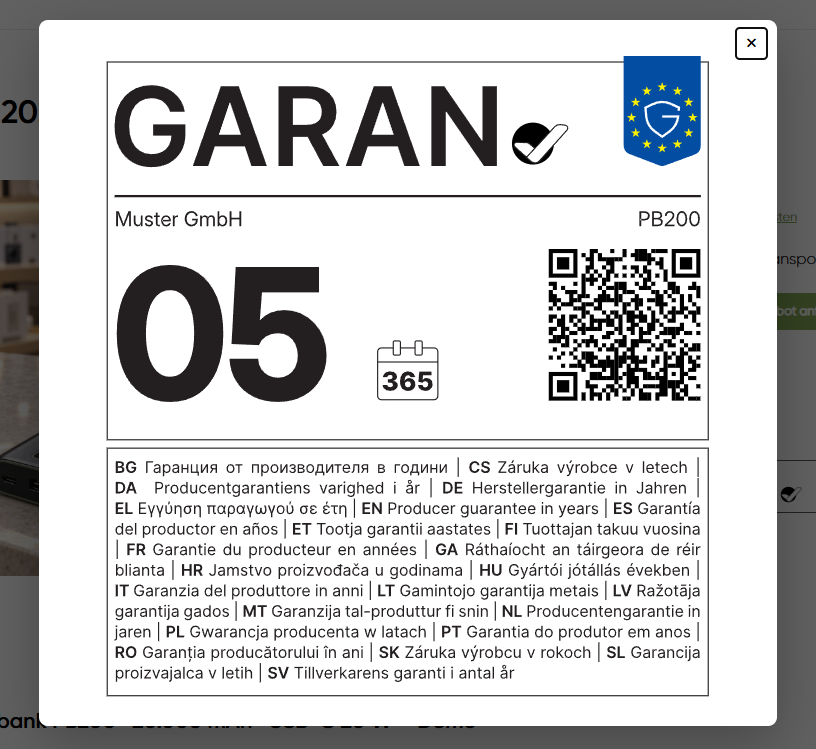
Nested + full lightbox
Compact display with a full view on click.
Full GARAN directly
Display the complete label on the product detail page.
Disabled
Disable output for individual products if needed.
Manage large product catalogues.
CSV assignment by Shopware product number instead of editing each product manually.
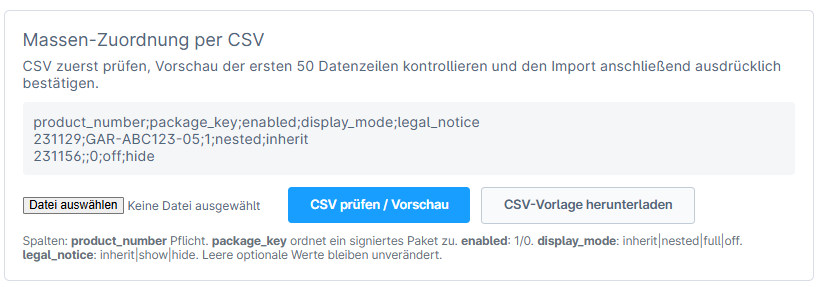
Individual assignment and bulk imports work together, with per-product settings for exceptions.
Package overview
Manage imported GARAN packages centrally.
Global default
Set a shop-wide default with individual overrides.
CSV import
Assign product numbers across larger catalogues.
Compatible signed packages.
Connect checks package structure, signature and included files before import. This technical restriction does not imply that other providers’ files are legally invalid.
Integrate statutory guarantee information.
The statutory guarantee notice and the GARAN label are distinct forms of information. Connect can provide both in the Shopware product context.
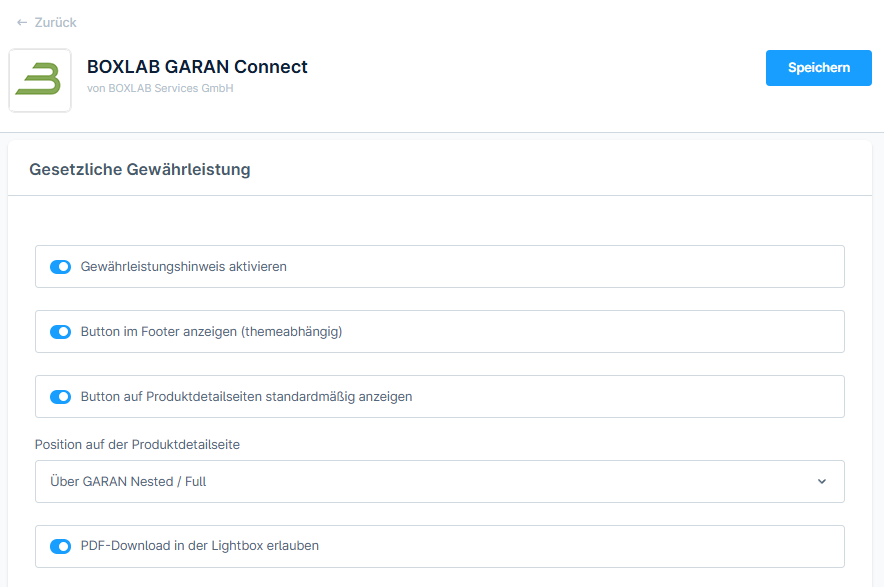
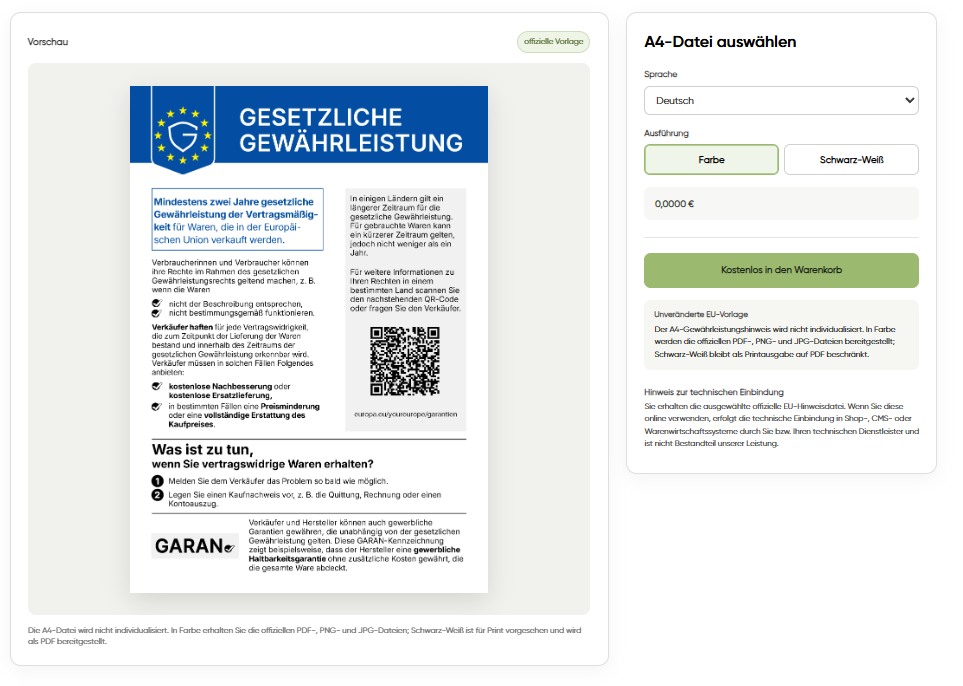
24 EU languages
Language selection appropriate to the storefront.
Flexible presentation
Lightbox, optional PDF download and display options.
Separate functions
GARAN and the statutory notice are managed separately.
Less manual work. More consistency.
Without Connect
- Maintain files and assignments manually
- Implement nested and full views yourself
- Handle statutory notice separately
With GARAN Connect
- Import compatible packages
- Assign products individually or via CSV
- Configure display and notice centrally
Frequently asked questions about GARAN Connect
What is BOXLAB GARAN Connect?
A Shopware 6 plugin for integrating compatible BOXLAB GARAN packages and statutory guarantee information.
Does Connect generate GARAN labels?
No. Labels are configured and produced in BOXLAB GARAN Studio.
Can I upload arbitrary files?
No. The plugin accepts compatible signed BOXLAB packages only.
Can I assign several products at once?
Yes. Product mapping through a CSV import is supported.
Can I display the full label instead of nested?
Yes. The display mode can be configured globally and per product.
Are customised themes supported?
Theme-specific adjustments may be needed, particularly with strongly customised templates.
Is the legal guarantee notice included?
The plugin includes presentation functionality for the separate harmonised notice.
Does the plugin make my shop automatically legally compliant?
No. The merchant remains responsible for assessing applicable obligations and correct implementation.
Integrate GARAN into Shopware 6.
Create the label, import a compatible package and assign products centrally.
Technical integration does not replace a legal assessment of the specific application.