Date:

September 7, 2026

Categories:

blog, Company, Industry News, Tips & Tricks,

Send Invoices Directly to the Right DepartmentSeparate Invoice Email Address:

In many companies, the person placing an order is not the person responsible for processing the invoice. Purchasing may place the order, while invoices need to be sent directly to the accounting department, accounts payable team or a central invoice mailbox.

BOXLAB now makes this process easier: B2B customers can specify a separate email address for invoices and credit notes without changing the email address used for their customer account.

This keeps ordering and billing processes clearly separated and helps ensure that invoices reach the right department directly.

How to set up a separate invoice email address

The option is available directly during checkout in the Email Addresses section.

Simply activate the option to use a different email address for invoice delivery and enter the desired address.

If you only want to use the address for the current order, no permanent change is required.

If you want to use it for future orders as well, simply save the setting. The invoice email address can also be managed later in your customer account.
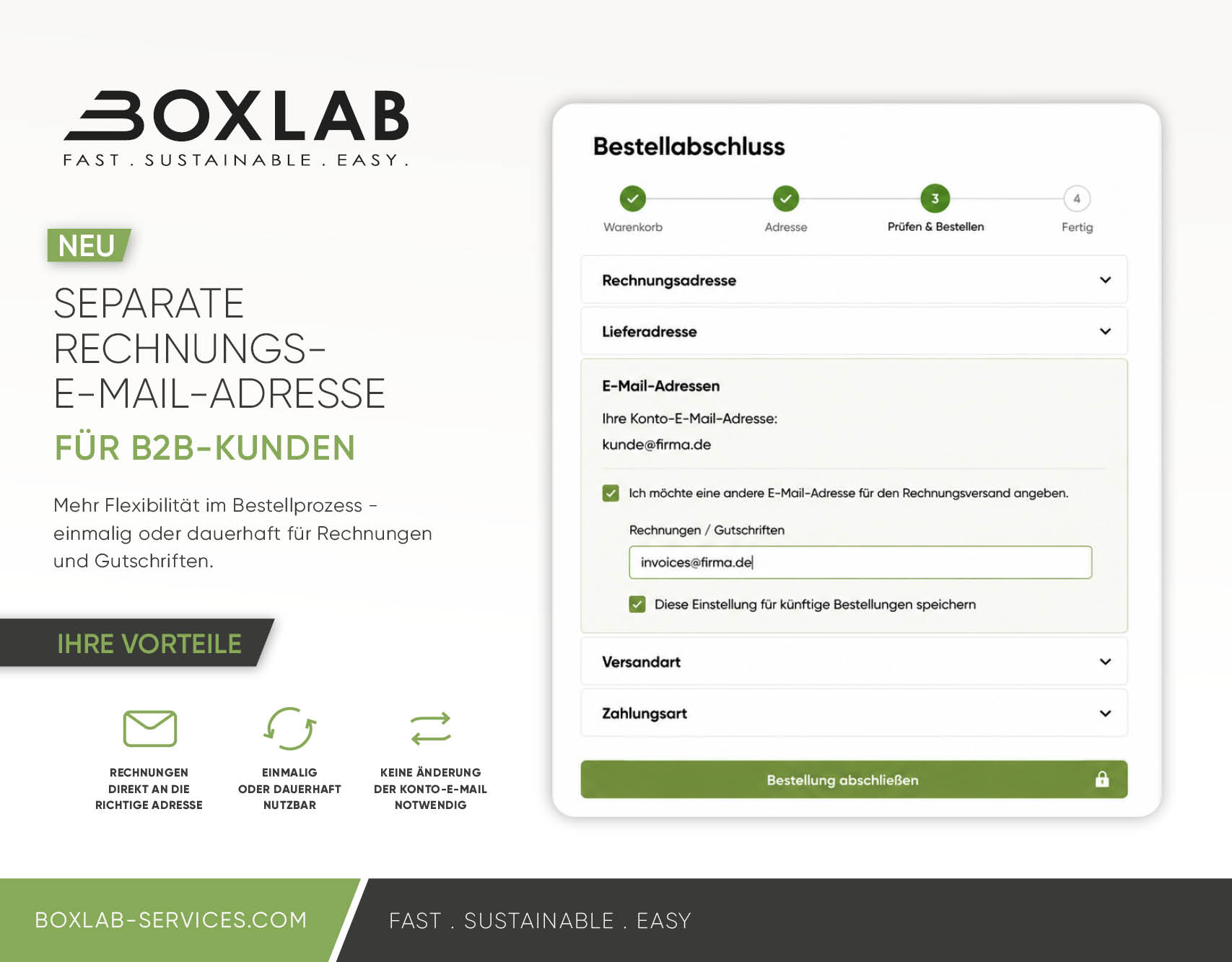
Two options: for a single order or permanently

You can choose how the separate invoice email address should be used.

Use a separate invoice email address for a single order

During checkout, you can enter a different email address specifically for the current order.
This is useful, for example, if an invoice needs to be sent to a particular contact person, department or project mailbox on a one-time basis.

The email address stored for your BOXLAB customer account remains unchanged.


Save a separate invoice email address permanently

If your invoices should always be sent to your accounting department or a central invoice mailbox, you can save a separate invoice email address for future orders.

Once saved, the address will automatically be used for invoices and credit notes associated with future orders.

You can change or reset the address at any time in your customer account.

Frequently Asked Questions (FAQ)

Can I have invoices sent to a different email address?

Yes. In the BOXLAB online shop, you can enter a separate email address for invoices and credit notes during checkout. Your regular account email address remains unchanged.

Can I use a separate invoice email address for just one order?

Yes. You can enter a different invoice email address for a single order without changing the permanent settings in your customer account.

Can I permanently save a separate invoice email address?

Yes. If invoices should always be sent directly to your accounting department or a central invoice mailbox, you can save the separate invoice email address for future orders.

Does this change the email address of my customer account?

No. Your existing account email address remains unchanged. The additional email address is used exclusively for sending invoices and credit notes.

Can I change or remove the separate invoice email address later?

Yes. A permanently saved invoice email address can be changed at any time in your customer account or reset to your regular account email address.

Who benefits from a separate invoice email address?

This feature is particularly useful for B2B customers where purchasing and invoice processing are handled by different people or departments. For example, your purchasing department can place the order while invoices and credit notes are sent directly to accounting or a central invoice mailbox.